
Viki: Asian Dramas & Movies
Viki, IncEntertainment
4.752.30K Reviews
- Version
- 26.8.0
- Installs
- 100.00M
- Age Rating
- Teen
Screenshots

Our Review of Viki: Asian Dramas & Movies
 Analysis by Appyee
Sharing a screen at home can make choosing a show feel like a small event: one person wants a romance, another is curious about a mystery, and somebody else just wants something short before bed. That is the kind of evening where I find Viki most useful. It brings Asian dramas, films, and variety programming into one place, so a household can browse beyond the same familiar options on general streaming services. I would treat it as a focused addition to a viewing mix, rather than a replacement for every other service.
A good fit for shared viewing, with room for separate tastes
Viki works particularly well when people in the same home are open to trying different countries, genres, and formats. A Korean drama can become a shared weekly watch, while someone else can explore a Japanese show or a Chinese historical story on their own. The range is useful because the group does not have to agree on one narrow kind of entertainment before opening the app.
There is a practical trade-off with shared devices: a watchlist is only helpful if everyone understands whose choices it represents. I would agree on a simple household habit before saving lots of titles, such as using the list for shows the group might watch together and keeping personal discoveries in a separate note. That small boundary makes it easier to pick up a shared series without mistaking another viewer’s browsing for a family decision.
Set expectations before settling in
The app is free to download, but watching is not necessarily an uninterrupted experience. Viki offers a free, ad-supported option, and the breaks can interrupt the rhythm of a tense episode or a quiet scene. If several people plan to watch together, I would choose a title first and allow for those pauses rather than assuming the evening will run like a paid, ad-free service.
There are in-app purchases, with prices ranging from $0.99 to $119.99 per item, so I would make sure the person managing a shared phone or tablet understands that paid options can appear. The app itself is free, but that does not mean every viewing option is included at no cost. For a household, the useful distinction is between installing it for a trial browse and making a deliberate choice about any purchase.
I would also check the device’s account and purchase settings before handing it to a younger viewer. That is ordinary shared-device housekeeping, not a special Viki feature: keep payment access with the adult account holder, and let younger family members browse only within the boundaries the household has already agreed on.
Coordinate a series without turning it into homework
When a show becomes a group watch, the biggest challenge is often keeping everyone at the same point. I would decide together whether to watch episodes only when everyone is present or let each person continue alone. If people watch ahead, a quick message naming the last episode everyone completed prevents an accidental spoiler from a later plot twist or a timed comment.
The watchlist can help with planning, but I would not treat it as a complete household calendar. A more reliable routine is to save the title, agree on the next viewing time in a family chat or shared calendar, and say where to resume. That workflow is especially helpful when one person uses the app on a phone during a commute and another watches later on a tablet: the group has a clear plan even if the device is not shared at every moment.
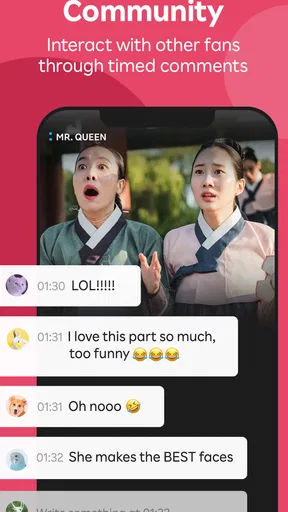
Timed comments add a social layer, but they can also reveal reactions while a scene is unfolding. For a first watch, I would try viewing without reading them until the episode ends if suspense matters to you. Then, on a rewatch or after the group has caught up, the comments can be part of the fun rather than an accidental hint.
Age context and a sensible viewing boundary
Viki is rated Teen, which gives parents a useful starting point but not a substitute for checking a particular title. A household may have different standards for romance, intense scenes, or themes, and the audience rating should be considered alongside the actual show. I would preview a title or watch its opening with a younger viewer before making it a regular shared choice.
The volunteer-subtitle approach is a distinctive part of the experience, but subtitles are also a reason to be thoughtful about who is watching and how. They make stories more accessible across languages and can support casual language practice; at the same time, a child may need help understanding cultural references or emotional situations that are clear to an adult. I would use the app as a way to watch together and talk about a story, not as an unattended default for every age.
What makes Viki worth opening
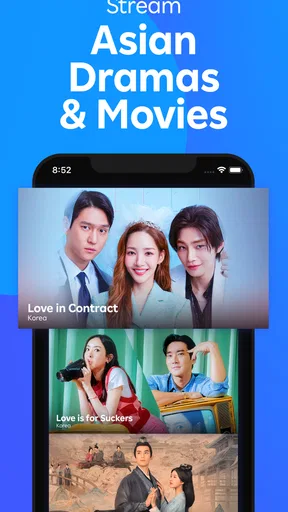
First things first, Viki isn’t just another streaming platform. It’s like stepping into a global community where language barriers disappear, literally. With a vast collection of shows and movies from Korea, China, Taiwan, Japan, and more, you're in for a cultural treat. The app's unique selling point? It’s the fan-driven subtitles. Yes, you heard that right. Fans around the world contribute to creating subtitles in various languages, making content accessible to everyone.
Getting Started
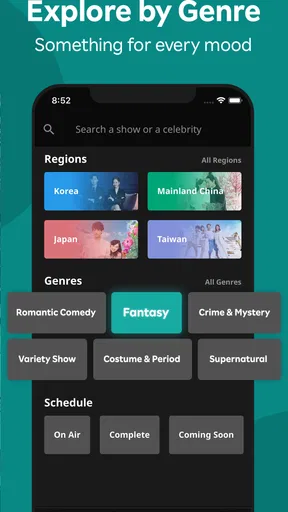
Installing the app is a breeze. Available on both Android and iOS, you’ll find it in your respective app store. Once downloaded, you can sign up using your email, Facebook, or Google account. The interface is pretty straightforward, welcoming you with sections like "What's New," "Top Picks," and "Trending Now." It’s like having a personal assistant who knows exactly what you might like.
User Experience
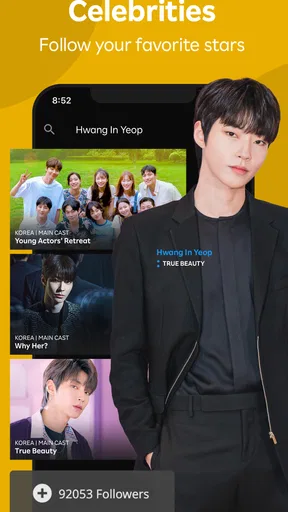
The user interface is sleek and intuitive. Whether you're a tech newbie or a seasoned streamer, navigating through Viki is smooth sailing. The search feature lets you dive deep into genres, actors, or even specific shows. Plus, the watchlist feature is a lifesaver, letting you bookmark shows for later binging sessions. Trust me, you’ll need it with the plethora of content available.
One tip I use with a large catalogue is to search by an actor or a specific mood instead of repeatedly browsing the front page. That is a more deliberate way to find a follow-up after finishing a series, and it helps prevent a crowded watchlist full of titles saved on impulse. I also treat the watchlist as a shortlist rather than a permanent archive: if a group has lost interest in a show, removing it keeps the next choice visible.
Content Galore
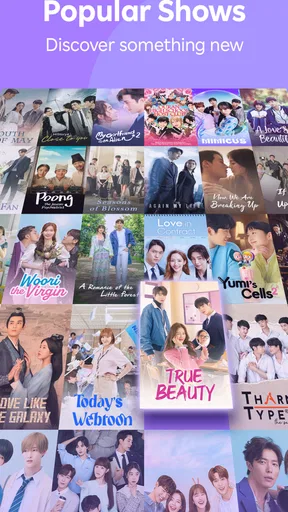
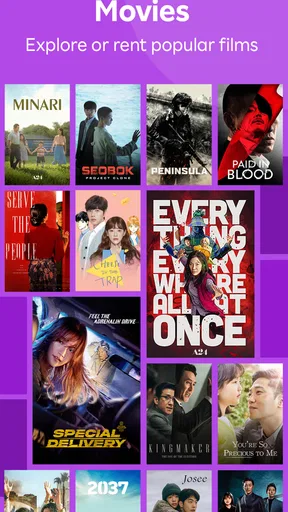
Now, let’s talk content. Viki offers an array of dramas and movies that cater to a wide range of tastes. From romantic comedies and tear-jerkers to thrilling mysteries and historical epics, there’s something for everyone. Not to mention, they have a solid lineup of variety shows and documentaries for when you need a break from fiction.
If you’re into K-dramas, you’ll feel right at home. And for J-drama enthusiasts, Viki has got you covered too. The app continually updates its library, so there’s always something fresh to catch your eye.
For an everyday example, I might save a longer drama for a quiet evening and choose a variety show when friends are visiting and nobody wants to commit to a continuing plot. That difference matters: a series is easier to enjoy when viewers can remember characters and follow episode order, while a less plot-dependent program can suit a casual shared room. If you are deciding what to watch with people who have very different attention spans, starting with a single episode is a low-pressure way to test the fit.
Community and Connectivity
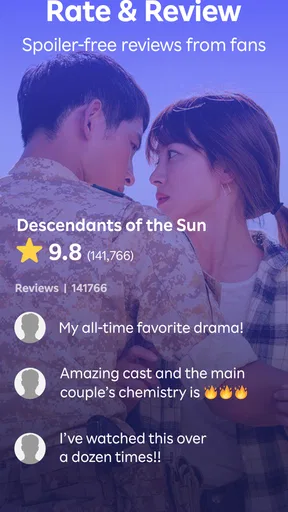
One of the coolest aspects of Viki is its community feel. The app encourages interaction through timed comments. Imagine watching a suspenseful scene and seeing live reactions from other viewers. It’s like being in a virtual movie theater, sharing gasps and laughs with fellow drama fans worldwide.
The subtitle feature is another standout. With thousands of volunteers contributing, the subtitles are often available in multiple languages. This collaborative effort not only broadens the reach of the content but also creates a sense of global community. Plus, if you’re learning a new language, this is a fun way to practice!
For language learners, I find subtitles most useful when the goal is to notice expressions and context rather than pause over every unfamiliar word. Pick one scene to replay mentally, follow the translation, and pay attention to how a phrase fits the characters’ tone. It is an enjoyable supplement to study, not a structured lesson, and subtitle availability can vary by title and language. If precise language instruction is your priority, a dedicated learning tool will be a better companion.
Subscription and Ad Experience
Viki offers both free and premium subscriptions. The free version is ad-supported, and honestly, the ads can be a bit intrusive. But hey, nothing in life is truly free, right? If you’re a binge-watcher, you might want to consider upgrading to Viki Pass. It’s ad-free and offers HD streaming, which is a game-changer for those picturesque drama scenes. Imagine watching a beautifully shot Korean drama in crisp HD. Worth it!
That makes the choice fairly straightforward for me: occasional viewers can begin with the free option and see whether the catalogue suits them, while people who watch often may value a smoother session enough to consider a paid plan. I would not subscribe just because a household is curious about one title; first try the app, see how often everyone actually returns, and then decide whether the interruption level is worth changing. The right choice depends on viewing habits, not on a promise that every family needs the same setup.
Who should choose it, and who may prefer another service
Viki is a strong choice for viewers who actively seek dramas and entertainment from across Asia, appreciate subtitles, or enjoy discovering titles through a fan community. Its focused catalogue is an advantage if you already know you want this kind of programming. It is also a useful second service for a household whose members have different interests but are willing to explore beyond familiar English-language releases.
If you mainly want the broadest mix of international and mainstream programming in one place, a general streaming service may be more convenient. If your household wants children’s viewing to be the central purpose, a service designed specifically around kids’ profiles and parental tools would be a better fit than relying on a Teen-rated entertainment app. And if ads are a deal-breaker but you do not want a paid option, Viki’s free viewing may feel more frustrating than worthwhile.
Compared with searching for individual clips or relying on scattered recommendations, a dedicated app gives you one place to browse this particular kind of drama and follow a title through its episodes. The trade-off is that a focused service will not replace every genre or viewing need. I would keep it alongside the services the household already uses, then open it when someone wants an Asian series, film, or variety program rather than expecting it to be the universal answer to “what should we watch?”
Conclusion
In summary, Viki: Asian Dramas & Movies is a treasure trove for any drama and movie enthusiast. It’s more than just a streaming app; it's a cultural experience. With its extensive library, community-driven subtitles, and interactive features, Viki keeps you hooked and coming back for more. So, whether you’re a seasoned drama aficionado or a curious newcomer, Viki is the app that’ll open doors to a world of entertainment you never knew you needed. Happy watching!
Viki, Inc is the developer behind the app, which is in the entertainment category. Its average rating is 4.7 from around 1.1 million ratings, and it has more than 100 million installs. It launched on March 4, 2012; version 26.1.0 requires iOS 9 or later. The app is free, with in-app purchases available, and its Teen rating is worth keeping in mind in a shared household.
My household verdict is positive when at least one person genuinely wants Asian dramas and the others are happy to browse with them. I would start with one shared title, agree on who is watching and how to avoid spoilers, then use the free option long enough to judge the ad experience. If that routine feels natural, Viki earns a place on the device; if the household needs child-focused controls, uninterrupted free viewing, or a much broader all-purpose catalogue, I would choose a different main option.
Verdict
Strengths of Viki: Asian Dramas & Movies
- Extensive collection of Asian dramas.
- User-friendly interface with easy navigation.
- High-quality video streaming options.
- Subtitles available in multiple languages.
- Regular updates with new content.
Limitations of Viki: Asian Dramas & Movies
- Some content is region-locked.
- Ads can be intrusive without a subscription.
- Offline viewing limited to premium users.
- Occasional subtitle timing issues.
- Requires a stable internet connection.
Similar Picks in This Category
View All
Google Play Games
Google LLC3.9

Netflix
Netflix, Inc.4.8

YouTube Kids
Google LLC4.2

Disney+
Disney4.4

Prime Video
Amazon Mobile LLC4.7

Steam
Valve Corporation3.2
You May Also Like
View All

Frequently Asked Questions
What is Viki: Asian Dramas & Movies?
Viki is a streaming app that offers a vast collection of Asian dramas, movies, and TV shows. It features content from countries like Korea, Japan, China, and Taiwan. The platform provides subtitles in multiple languages, making it accessible to a global audience. Users can enjoy both free and premium content.
Is Viki available for free?
Yes, Viki offers free access to a selection of its content, supported by ads. However, for an ad-free experience and access to exclusive shows, users can opt for a Viki Pass subscription. The premium subscription offers higher video quality and earlier access to new episodes.
What features does Viki provide?
Viki offers features like multi-language subtitles, a community of contributors who help translate content, and timed comments that let viewers interact with others while watching. The app also allows you to create watchlists, follow specific shows, and receive notifications for new episodes.
How do subtitles work on Viki?
Subtitles on Viki are created by a community of volunteers who translate shows into multiple languages. This collaborative effort allows for a wide variety of subtitle options. Users can choose their preferred language from the available options, making it easier to enjoy content regardless of language barriers.
What devices support Viki?
Viki is available on various platforms, including Android and iOS devices. It can also be accessed via web browsers on PCs and Macs. Additionally, Viki supports smart TVs and streaming devices, allowing users to watch their favorite Asian dramas and movies on a bigger screen.
